Virtual learning
Accessing virtual and remote learning tool for students and parents



Accessing virtual and remote learning tool for students and parents

To access the Google login page, head to accounts.google.com/signin - Alternatively, you can can click the 'Sign in' button in the top right corner of the Google homepage.
You will then be directed to sign in via the screen to the right:
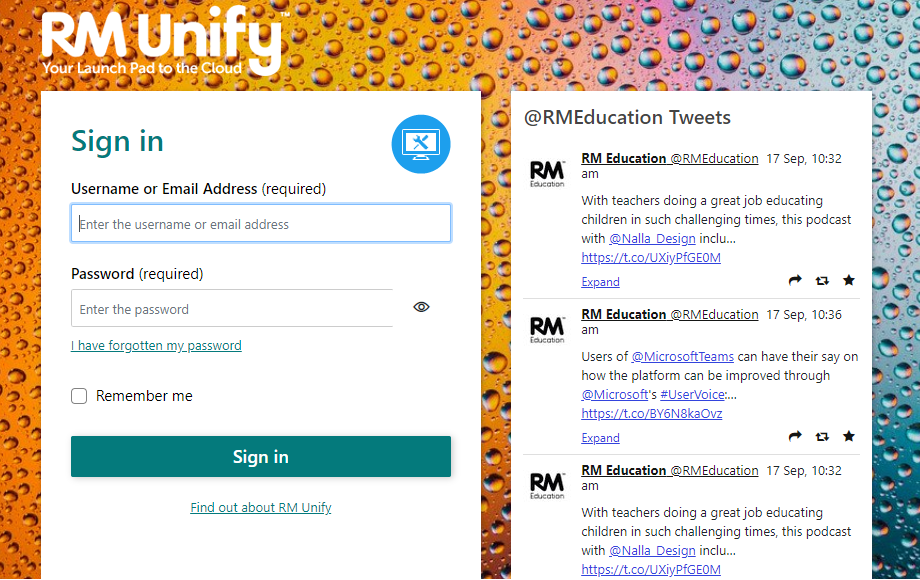
You will need to enter your email address (as mentioned above) and press next. This will take you to the below page titled RM Unify. Here you need to re-enter the email address and your password. You should then be logged in.
If you have forgotten your password or are having trouble logging in, you can speak to your teacher, or contact us via email at frinton@lifttendring.org and we will be able to change it for you.
On all Google pages within 'Google for Education' you can find the help button (small grey circle with a question mark shown above).
Click on this button and select ‘Help’ to be shown a list of help topics related to the page that you are on (Drive, Gmail, Classroom, etc).
Select the topic you wish to learn more of and help will be displayed (there should be options for each type of device that you may be using; Computer, Android, IPhone/IPad).
Using Google Classroom - guide
Virtual learning guides and support
Virtual parents evening booking guide
Attending virtual parents evening appointments 'how to' guides
Click here to open the Parents Evening System.
Please note - You will receive a notification when the Parents Evening's go live. If you are unable to access the online booking system and wish to book an appointment, please contact reception.




Thorpe Campus
Landermere Road
Thorpe-le-Soken
Essex
CO16 0LQ
Frinton Campus
Rochford Way
Frinton-on-Sea
Essex
CO13 0AZ